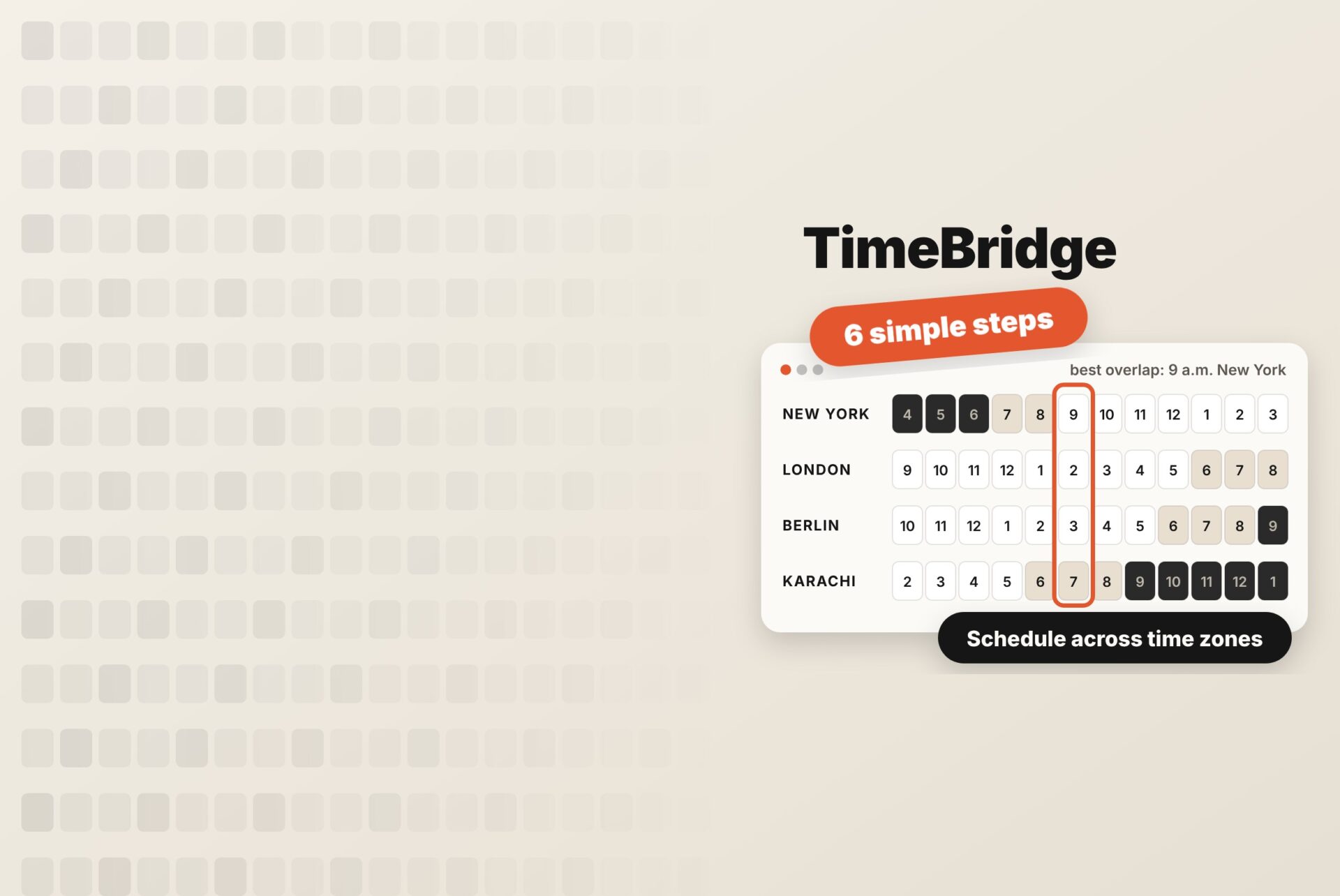
“Does 3 p.m. work for you?” is a simple question until your team is in New York, London, and Karachi. Then it turns into a puzzle of offsets, daylight saving rules, and somebody’s dinner.
This guide shows you how to schedule meetings across time zones without guesswork. It’s a repeatable six-step method, with a worked example, a table of overlapping working hours for common city pairs, and what to do when there’s no good time at all.
Quick Answer: To schedule a meeting across time zones, list each person’s city, mark their working hours, and find where those hours overlap. Pick a slot inside the overlap, or rotate an early or late slot fairly if there isn’t one. Send the invite from a calendar so it converts automatically, and write the time in both time zones in your message. A visual planner like TimeBridge does the overlap step for you.
How to Schedule Meetings across Time Zones in 6 Steps
1. List every participant by city, not abbreviation
Write down where each person actually is: “New York”, not “EST”. Abbreviations cause a lot of time zone mistakes. “EST” is technically only correct in winter (in summer New York is on EDT), and “IST” means India Standard Time to some people and Irish or Israel Standard Time to others. A city carries its own daylight saving rules with it.
2. Mark each person’s real working hours
Use each person’s own day, not a standard 9-to-5. Some people start at 8, some finish at 4, and some work a split day. Note any hard limits, such as school pickups, prayer times, or a second job, before you look for overlap.
3. Find the overlap
Convert everyone’s working hours to one reference, usually UTC (Coordinated Universal Time), and see where the windows cross. Or skip the maths and put everyone on a visual timeline, which is what a time zone meeting planner does.
4. Pick the fairest slot, and rotate if there isn’t one
If there’s an overlap, book inside it, ideally not in its first or last hour. If there’s no overlap, choose a slot that stretches one person a little, and rotate who stretches each week so the same person isn’t always on a 7 p.m. call.
5. Send a calendar invite in the right time zone
Create the event in Google Calendar or Outlook, not as a time in a chat message. Calendars convert the time for every guest automatically and adjust when the clocks change. For recurring meetings, check which city’s time zone the event is set to, because that city’s clock is the one the meeting follows.
6. Confirm the time in both zones, in words
In your message, write the time in each person’s zone, for example, “Tuesday, 9 a.m. New York / 2 p.m. London / 7 p.m. Karachi”. It costs five seconds and catches any calendar or daylight-saving mix-ups before the meeting, not during it.
Worked example: New York, London and Karachi
Sarah is in New York, Tom in London and Ayesha in Karachi, and all three work 9 to 5 local time. From November 1, 2026 (after the clocks change), their working days in UTC look like this:
- Ayesha (Karachi, UTC+5): 04:00–12:00 UTC
- Tom (London, UTC+0): 09:00–17:00 UTC
- Sarah (New York, UTC−5): 14:00–22:00 UTC
Tom overlaps with each of them, but all three never overlap: Ayesha finishes two hours before Sarah starts. So there are two fair options to rotate between:
- Option A, New York starts early: 12:00 UTC = 7 a.m. New York, 12 p.m.; London, 5 p.m. Karachi
- Option B, Karachi stays late: 14:00 UTC = 9 a.m. New York, 2 p.m. London, 7 p.m. Karachi
Alternate A and B week by week, and nobody carries the cost alone. (Until November 1, while New York is still on summer time, each option lands one hour earlier in Karachi: 4 p.m. and 6 p.m)
Overlapping Working Hours for Common City Pairs
This table assumes both people work 9 a.m. to 5 p.m. local time, from November 1, 2026 onward (after Europe and the US have changed their clocks). From late March to late October, pairs that mix daylight saving and non-daylight saving countries shift by an hour, so check a live tool before booking.
| City pair | Time difference | Shared working hours | Best meeting window |
|---|---|---|---|
| New York – Los Angeles | 3 h | 5 h | 12–5 p.m. New York / 9 a.m.–2 p.m. Los Angeles |
| New York – London | 5 h | 3 h | 9 a.m.–12 p.m. New York / 2–5 p.m. London |
| New York – Berlin | 6 h | 2 h | 9–11 a.m. New York / 3–5 p.m. Berlin |
| London – Dubai | 4 h | 4 h | 9 a.m.–1 p.m. London / 1–5 p.m. Dubai |
| London – Karachi | 5 h | 3 h | 9 a.m.–12 p.m. London / 2–5 p.m. Karachi |
| London – New Delhi | 5.5 h | 2.5 h | 9–11:30 a.m. London / 2:30–5 p.m. New Delhi |
| Karachi – Dubai | 1 h | 7 h | Most of the day |
| New York – Karachi | 10 h | None | 8–9 a.m. New York / 6–7 p.m. Karachi (both stretch) |
| New York – New Delhi | 10.5 h | None | 8–9 a.m. New York / 6:30–7:30 p.m. New Delhi (both stretch) |
| New York – Manila | 13 h | None | 7–8 a.m. New York / 8–9 p.m. Manila |
| London – Los Angeles | 8 h | None | 8–9 a.m. Los Angeles / 4–5 p.m. London |
A useful rule of thumb: once two cities are more than about 8 hours apart, a standard 9-to-5 day has no overlap, and someone has to start early or stay late.
How to Compare Multiple Time Zones at Once
With two people, you can do the maths in your head. With four or five, you need to see everyone side by side. There are three practical ways:
- Add extra time zones to your calendar. Google Calendar and Outlook can show a second (and in some versions a third) time zone down the side of your day view. It’s good for a quick check, but cramped beyond two or three zones.
- Use a time zone meeting planner. Tools like TimeBridge put every city on one timeline, shade working hours, and let you pick a slot visually. Our comparison of World Time Buddy alternatives covers six free options.
- Build a simple spreadsheet. One row per hour in UTC, one column per city, with conditional formatting for working hours. It’s flexible, but you have to update it yourself for daylight saving.
Time Zone Abbreviations Cheat Sheet
Useful when someone writes a time with an abbreviation, and you need to decode it. Offsets are from UTC.
| Abbreviation | Name | Offset | Where |
|---|---|---|---|
| PST / PDT | Pacific Standard / Daylight Time | UTC−8 / UTC−7 | Los Angeles, Vancouver |
| CST / CDT | Central Standard / Daylight Time | UTC−6 / UTC−5 | Chicago, Mexico City (CST all year) |
| EST / EDT | Eastern Standard / Daylight Time | UTC−5 / UTC−4 | New York, Toronto |
| GMT / BST | Greenwich Mean Time / British Summer Time | UTC+0 / UTC+1 | London, Dublin (IST in summer) |
| CET / CEST | Central European (Summer) Time | UTC+1 / UTC+2 | Berlin, Paris, Madrid |
| GST | Gulf Standard Time | UTC+4 | Dubai, Abu Dhabi |
| PKT | Pakistan Standard Time | UTC+5 | Karachi, Lahore |
| IST | India Standard Time | UTC+5:30 | New Delhi, Mumbai |
| PHT | Philippine Time | UTC+8 | Manila |
| AEST / AEDT | Australian Eastern Standard / Daylight Time | UTC+10 / UTC+11 | Sydney, Melbourne |
People often say “EST” or “PST” all year, even in summer. If the meeting is between March and November, assume they mean New York or Los Angeles local time, and confirm the city.
What to do when there’s no Overlap
Sometimes the gap is just too big, for example, New York and Manila. Then:
- Rotate the stretch. Alternate early and late slots so the inconvenience is shared, as in the worked example above.
- Shorten the live part. Keep the call to 20-30 minutes for decisions only, and move updates to writing.
- Go async. Record a short video update, share a written agenda, and collect comments in a shared doc before the call, or instead of it.
- Use a relay. If one person overlaps with both sides, like Tom in London in the example, let them hand over between the two.
Find Overlapping Hours in seconds with TimeBridge
TimeBridge is our free time zone meeting planner. It does steps 3 to 5 of this guide on one screen:
- Add each city in the search bar, for example, New York, London, and Karachi.
- Hover across the timeline to see every local time at once. Daylight saving is applied automatically for each location.
- Click or drag across the hours that work, then use the Google Calendar button to create the event in the right time zone.
It runs in your browser with no sign-up, and your cities are saved for next time. Weekend highlighting and a 24-hour option help you spot slots that land on someone’s Saturday or late evening.
Frequently Asked Questions
How do I schedule a meeting across different time zones?
List each person’s city and working hours, convert them to one reference such as UTC or put them on a visual planner, and pick a slot where the hours overlap. Then send a calendar invite and confirm the time in each person’s zone in writing.
What is the best time for a meeting between the US and UK?
For New York and London, 9 a.m. to 12 p.m. New York time (2 to 5 p.m. London) is the shared working window for most of the year. For the US West Coast and the UK, there’s usually no full overlap, so 8 to 9 a.m. in Los Angeles (4 to 5 p.m. in London) is the closest fit.
What if team members have no overlapping hours?
Rotate an early and a late slot so the same person isn’t always stretching, keep live calls short, and move updates to written or recorded messages.
How do I calculate a time zone difference?
Convert both times to UTC using each city’s current offset, then subtract. Remember that offsets change when daylight saving starts or ends, and countries change on different dates. Our daylight saving guide shows how US–Europe gaps shift each autumn.
Should I use time zone abbreviations in meeting invites?
Use city names instead. Abbreviations like EST or IST are ambiguous and often wrong for half the year. Calendar invites convert times automatically, so name the city when you write the time in a message.
Put it Into Practice
Scheduling across time zones gets easy once it’s a routine: cities, working hours, overlap, fair slot, calendar invite, written confirmation. Do it once for your regular meetings, and you won’t have to think about it again until the clocks change.